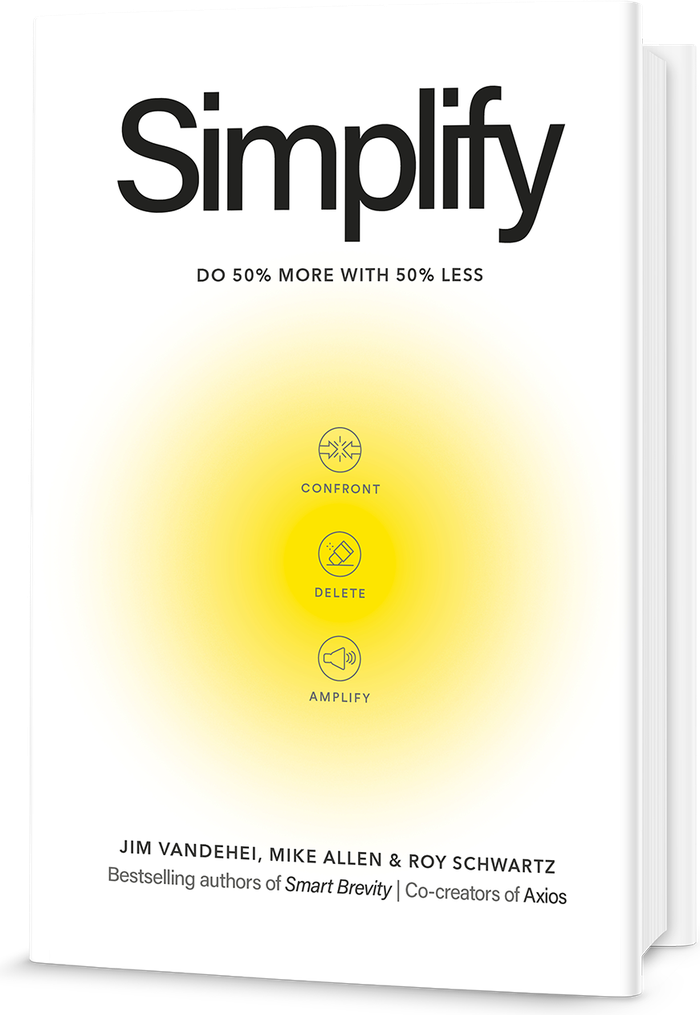
New book from the authors of Smart Brevity: Simplify: Do 50% More With 50% Less. Out now. Order your copy

Make AI your chief simplicity officer.
16 AI prompts from Simplify by Jim VandeHei, Mike Allen and Roy Schwartz.
Start with the toughest boss
It judges your week instead of adding to it.
The toughest boss
Play the role of my toughest boss. Look at how I spent my week and tell me what I'm wasting time on.
Be specific about individual meetings and tasks, and name the ones a tough boss would cut.
If your assistant can't see your calendar
Use my calendar for the past week if you can see it. If you can't, say so. Don't guess or make up meetings. Ask me to paste my meetings and tasks, or share a screenshot. If your app can connect to my calendar, tell me and I'll set it up.
Then get all 16 prompts
Fifteen more open on the next page.
Built to subtract, not add.
Most prompts ask AI for more drafts, more options and more to review. These ask it what you can stop doing.
Why it matters: The authors call AI “the greatest complexity-generation machine ever invented.” Pointed the other way, it becomes your chief simplicity officer.
- 5 prompts
The mirror
Confront
See where your time actually goes, not where you think it goes.
- Sort a week of tasks into high and low value against your goals
- Hear what a demanding boss would cut first, the prompt at the top of this page
- Review 90 days of your calendar every quarter
- 4 prompts
The shield
Delete
Cut the meetings, email and reports that never should have reached you.
- Sort your inbox into what you need and what never needed sending
- Mark each recurring meeting to shorten, replace with a written update or end
- Write a warm, firm no in seconds
- 2 prompts
Your spike
Amplify
Find the work only you can do and hand the rest to your assistant.
- Split your week into what AI should take over and what only you can do
- Point the hours you get back at the work that makes you hard to replace
- 4 prompts
The partner who argues back
Create
Spend the time you got back on better ideas, with AI pushing on them.
- Poke holes in a rough idea before anyone else does
- See a problem the way a different field would
- Get a rough first version down fast
Plus one you save once
Save it as instructions in your assistant. It questions every new commitment before it reaches your calendar.
Confront, Delete and Amplify follow the book’s three steps. Create gathers the prompts from its chapter on creativity.
Reading is the easy half.
Most people finish a book about working differently and change nothing, because Monday brings the same calendar and the same inbox.
How it works: Each prompt turns one idea from Simplify into an instruction you paste into your assistant in seconds.
What’s different: They ask your assistant to judge your week, not fill it. One plays your toughest boss. Another writes the no you have put off for a month.
The bottom line: The authors put it plainly. “You provide the vision. AI provides the velocity.”
It runs where you already work.
The prompts are plain text. They run in Claude, ChatGPT, Gemini, Microsoft Copilot and any assistant that takes a written instruction.
- If your tools are connected: Your assistant reads your calendar, email or documents itself.
- If they aren’t: Paste in what the prompt asks for, or share a screenshot. The prompt tells your assistant to ask rather than guess.
- If you see brackets: Replace the text in brackets, like [add your idea here], with your own detail.
Your prompts and your answers stay in your own assistant.
The short answers
What is the Simplify AI prompt pack?
Which AI tools do the prompts work with?
Do I need to have read Simplify to use the prompts?
Is the prompt pack free?
Where did the prompts come from?
The book is the reasoning behind all sixteen
Simplify: Do 50% More With 50% Less, by Jim VandeHei, Mike Allen and Roy Schwartz, was published by Crown Currency on September 15, 2026. It is where every one of these prompts came from, and where you find out what to do with the answer once your assistant hands it back.
If your organization wants to run the method as a group rather than alone, our coaches take teams through the same tools.